AI tools for faster production
AI Auto Captions, Text-to-Speech, AI Voice, Music Match, Magic Removal, Noise Removal, Vocal Separator, Tracking, Upscaling, and Style effects help speed up the repetitive parts of editing.
About the app
KineMaster brings AI assistance, advanced timeline controls, templates, cloud backup, and high-quality export options into a mobile editor made for fast publishing cycles.
View on App Store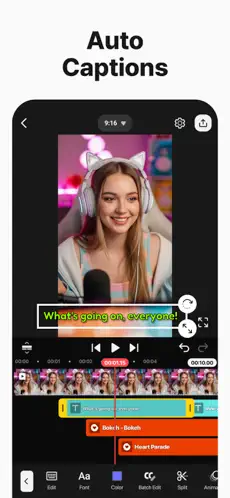
AI Auto Captions, Text-to-Speech, AI Voice, Music Match, Magic Removal, Noise Removal, Vocal Separator, Tracking, Upscaling, and Style effects help speed up the repetitive parts of editing.
Keyframes, chroma key, speed control, reverse, slow motion, time-lapse pacing, multi-layer editing, magnetic guides, and undo history give creators more control over motion and timing.
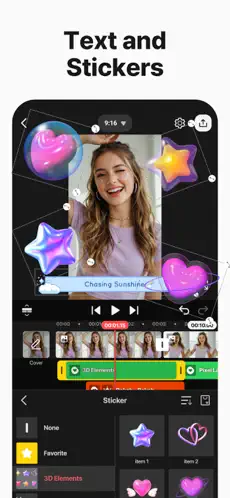
Thousands of templates, shareable project mixes, effects, stickers, music, fonts, transitions, stock videos, images, and color filters make it easier to begin with a strong creative direction.
Export up to 4K at 60 FPS, prepare videos for YouTube, TikTok, Instagram, and other social platforms, or use transparent backgrounds for compositing workflows.
Creative range
The app fits quick content edits, voiceover videos, product demos, gaming clips, creator intros, educational Shorts, template-led posts, and more deliberate multi-layer projects.
Feature map